Home/Projects/Live Ore Counter
PROJECT 01 / Released

Live Ore Counter

Track every ore you mine in real time. Live Ore Counter is a Minecraft mining tracker with saved ore statistics, customizable goals and challenge milestones. Choose the Fabric mod for your game or the server-side Paper plugin for your community.

Fabric mod · Paper pluginReleased
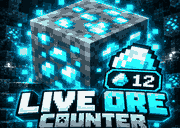
Live Ore Counter Minecraft ore tracking mod and Paper plugin — OrbittLabs official promotional artwork

Real-time Minecraft ore tracking

Track ore mining without stopping to count manually. Live Ore Counter records separate saved totals for supported vanilla ores and keeps your progress visible while mining.

Real-time ore counter

See ore progress as you mine, with a Fabric HUD or a Paper server-side Action Bar display.

Saved statistics

Keep per-ore lifetime counts across play sessions instead of losing progress when you switch ores.

Fortune-aware counting

Tracking accounts for Fortune behavior; Silk Touch ore mining is excluded as documented in the published releases.

Mining challenges

Choose Hard, Extreme, Insane or custom goals, including random ore challenges and rerolls.

Timers and milestones

Track challenge time and see progress alerts at 25%, 50%, 75% and completion.

Edition-specific HUD

Fabric offers a movable in-game HUD. Paper runs server-side, with optional resource-pack ore icons.

Getting started

Pick the Fabric mod for a compatible single-player/client setup, or install the Paper plugin on a server. Check the current download listing for exact versions and follow the edition-specific setup instructions.

Choose the right edition

Fabric mod or Paper plugin?

Both editions track Minecraft mining progress, but they install in different places and display progress differently. Choose the build that matches where you play.

For Minecraft players

Fabric mod

Installed in your Minecraft Fabric instance. Shows a movable ore-counter HUD and tracks your mining session without requiring a Paper server.

Fabric clientMinecraft 1.21.11 listingMovable HUD

Download the Fabric build listed for your Minecraft version and follow the Fabric installation steps.

Get Fabric mod ↗
For server owners

Paper plugin

Installed on a compatible Paper server. Mining totals are saved per player and displayed in the Action Bar. Players do not need to install a client mod.

Paper server1.21.9–1.21.11 listingOptional ore-icon pack

Check the current Paper release and follow the server installation steps.

Get Paper plugin ↗

Version labels summarize the linked distribution listings checked on 6 November 2026. Always confirm the exact Minecraft version and requirements on the release file you download.

More than a simple counter

Mining goals built for survival and challenge videos

Go beyond tracking totals: set a diamond target, try a random ore challenge or measure progress during a long survival mining session.

Hard / Extreme / InsaneCustom ore goalsRandom challengesRerollsChallenge timerPause & resumeMilestone alerts
01 / Choose

Select an ore or goal

Pick a supported ore and a challenge appropriate to the edition you've installed.

02 / Mine

Watch live progress

Mine normally while your counter and challenge progress update in-game.

03 / Review

Check your statistics

Use the supported statistics command to review ore totals and follow your progress.

Answers before you install

Live Ore Counter FAQ

Do Paper server players need to install a client mod?

No. The Paper edition runs on the server. It uses an Action Bar display and may offer an optional resource pack for ore icons.

Does it save how many ores I've mined?

Yes. Published feature lists describe separate saved counters for each supported ore and progress that persists between sessions. Statistics and goal progress are separate.

Does Live Ore Counter work with Fortune and Silk Touch?

The published editions describe Fortune-aware counting and ignoring Silk Touch-mined ores. Verify the precise behavior against your installed release if you use special mining setups.

Which Minecraft versions are supported?

The currently listed Fabric download targets Minecraft 1.21.11. The Paper Modrinth compatibility listing includes Minecraft 1.21.9–1.21.11. Check the specific file listing before downloading; compatibility can change with releases.

How can I see my mining statistics?

The published project descriptions document /or stats for ore totals and /or for ore-counter commands. Exact options may differ by edition or release.

Can I report an issue or suggest a feature?

Yes. Use the OrbittLabs bug report centre for reproducible issues, or leave a moderated comment on this project page. Include your edition and Minecraft version.

Community feedback

Project comments

Share feedback and suggestions. New comments appear after approval by OrbittLabs. Please don't post personal or sensitive details.

Discussion

Loading comments...

Leave a comment